
Type naturally
Write a sentence the way you would say it.
Log meals, workouts, feelings, spending, notes, and plans by typing, speaking, scanning, taking a photo, or entering exact details. Tertibo keeps everything organized and easy to correct.
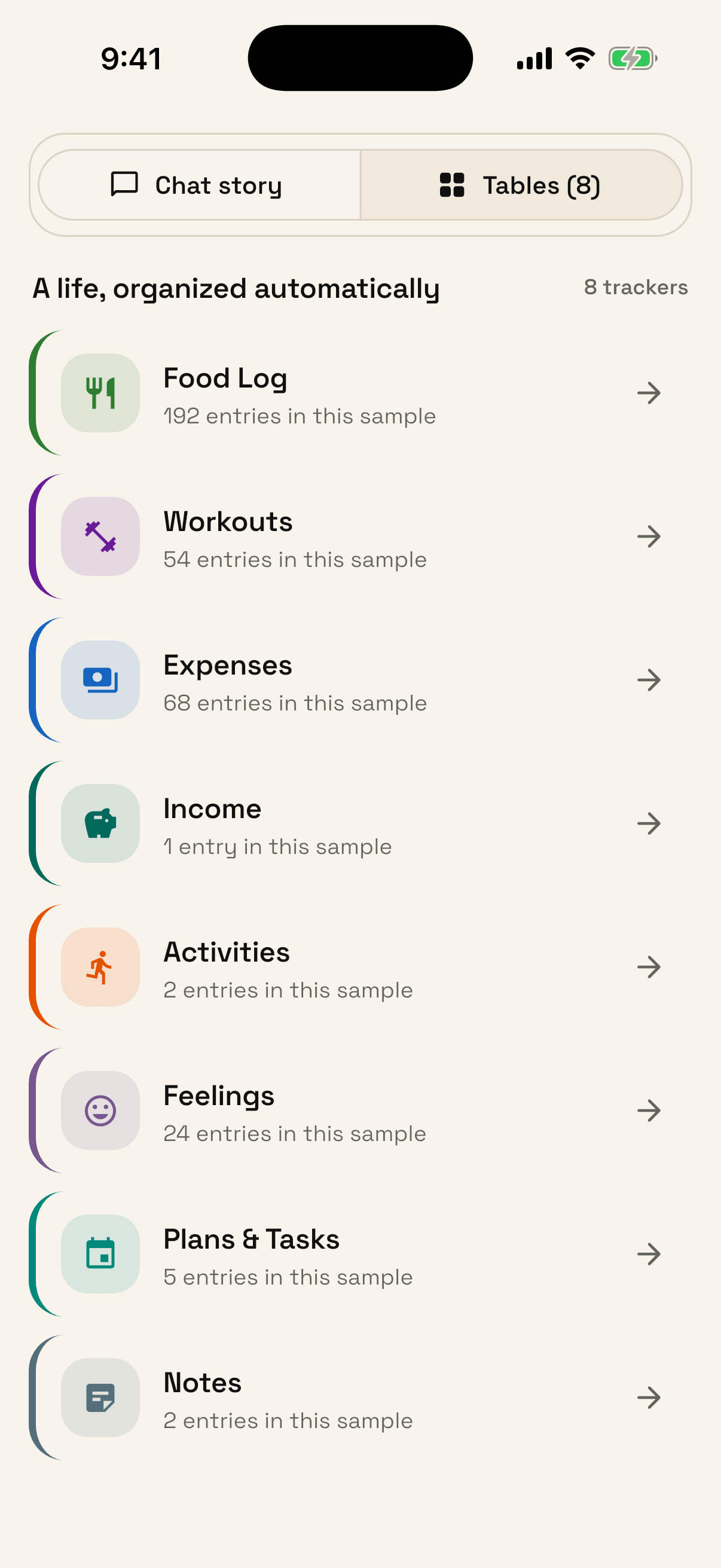
Your tracking should be too. Tertibo replaces scattered forms and separate apps with one calm place to remember what happened.
Use the shortest path in the moment, then inspect or refine the result whenever you want.
Write a sentence the way you would say it.
Dictate while cooking, walking, or finishing a set.
Capture a meal, receipt, document, or detail worth keeping.
Look up supported packaged foods without retyping the label.
Choose every value yourself when accuracy matters most.
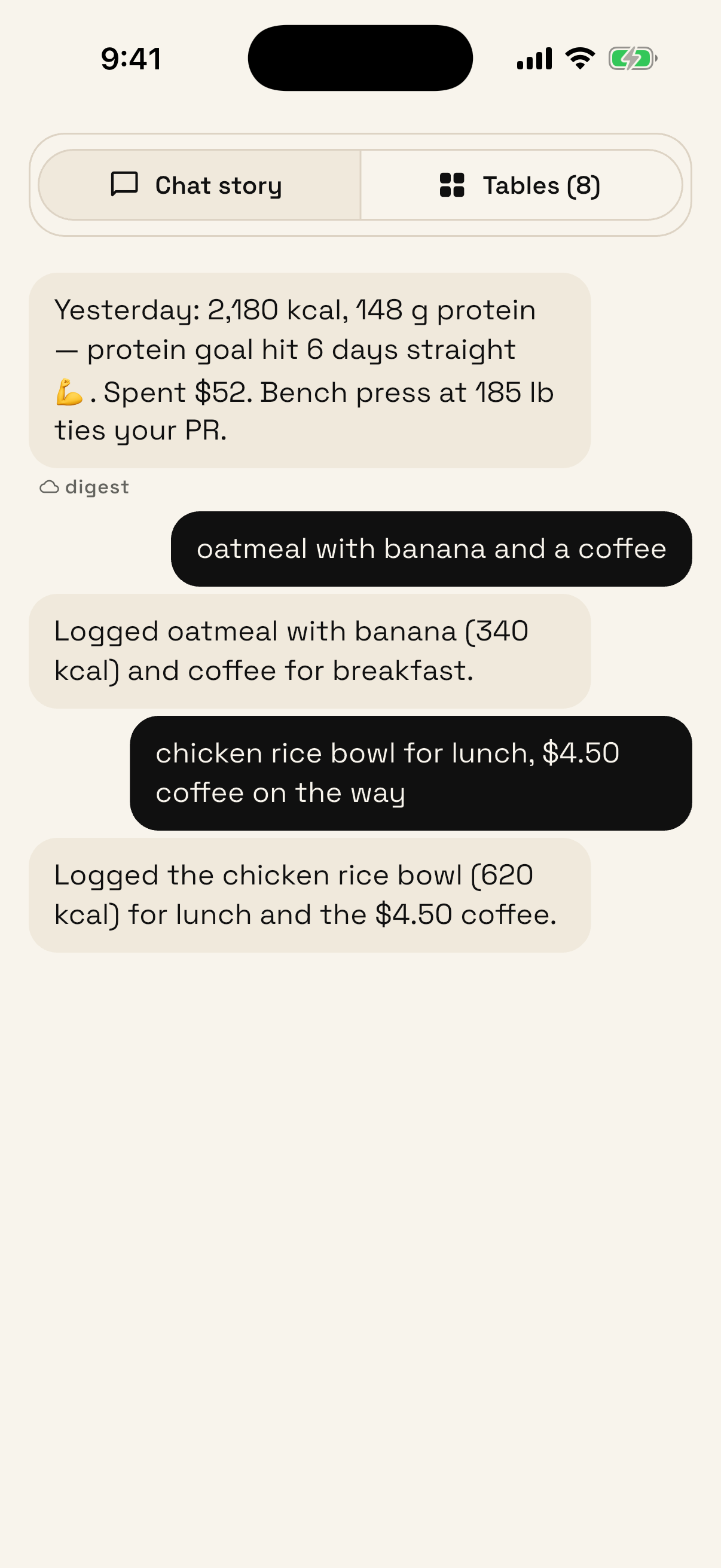
Food, Workouts, and Feelings form the recommended starting point. Add the rest when they earn a place in your routine.
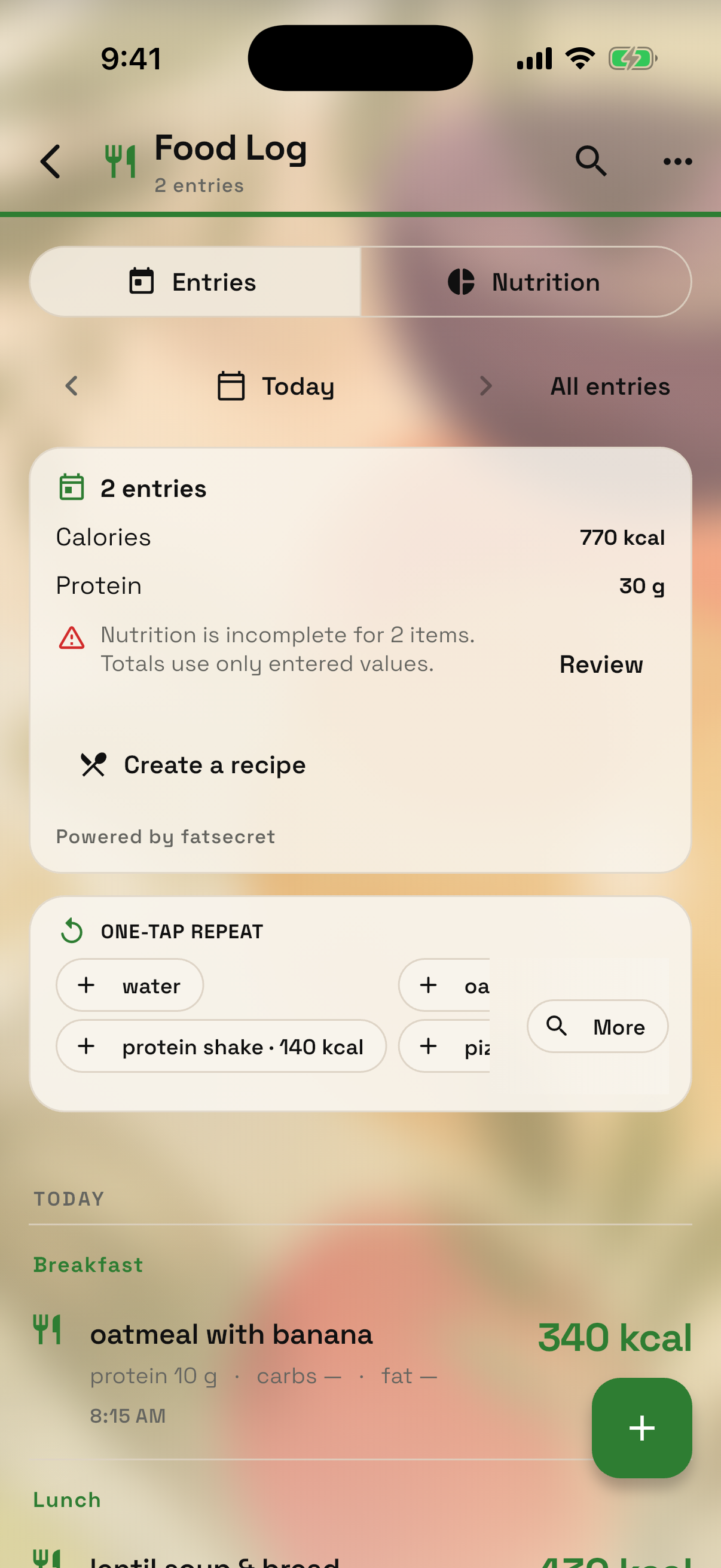
Keep portions, calories, protein, meal context, daily totals, repeat foods, barcode results, and recipes made from ingredients.
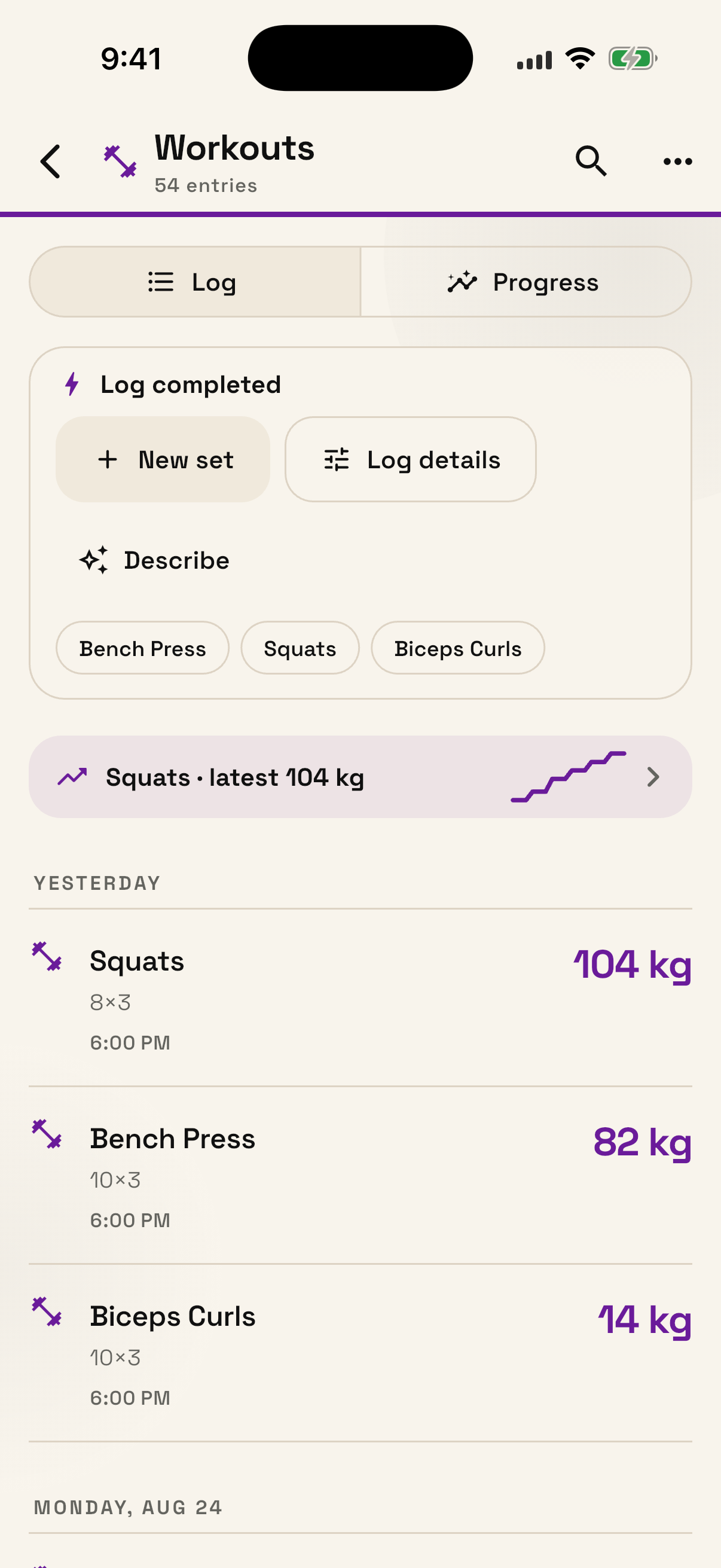
Record strength and cardio sessions with sets, reps, weight, distance, pace, duration, effort, and your preferred units.
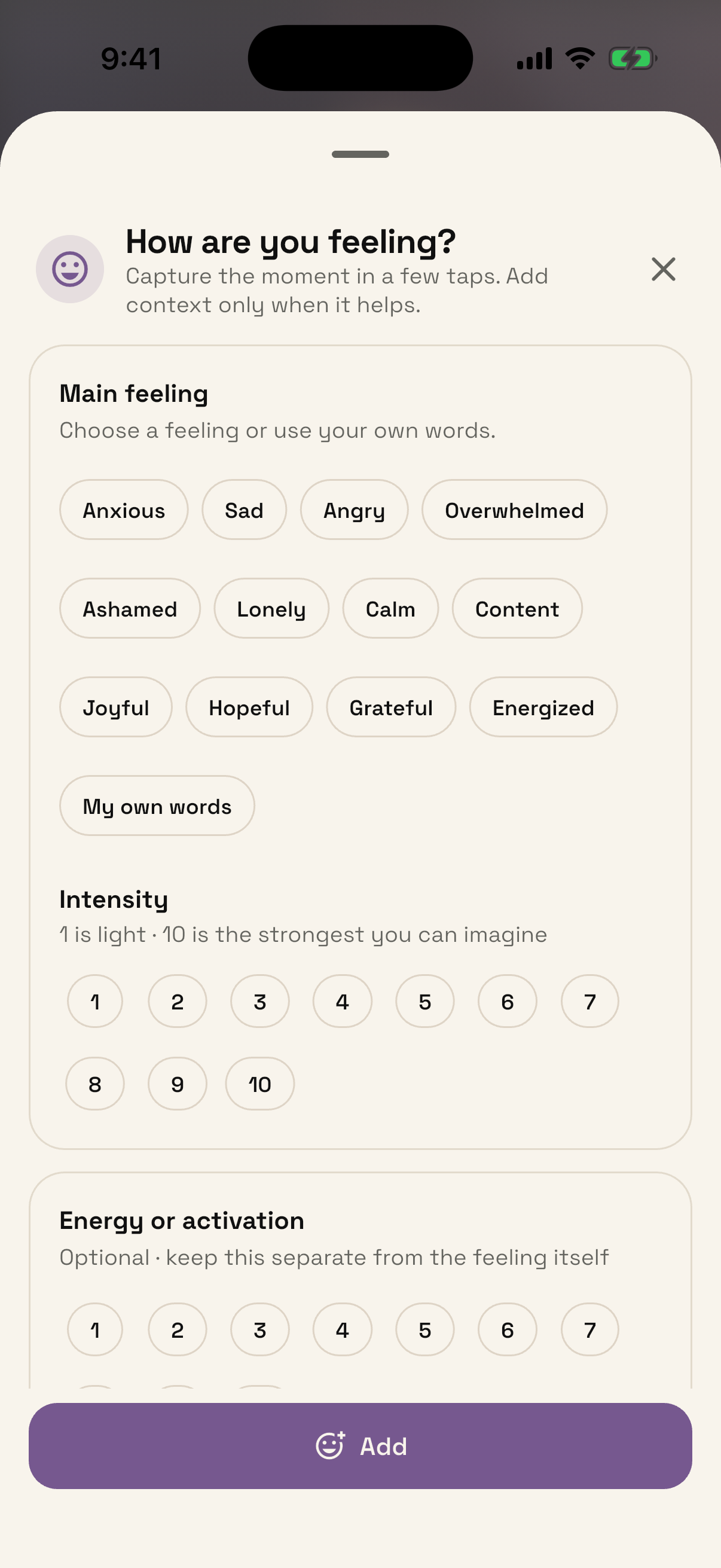
Note the feeling, intensity, energy, and context in a few taps. Open guided prompts when you want to understand the moment more deeply.
Tertibo keeps the important number, pattern, or next action close without turning your life into a dashboard.
Remaining calories, last workout, latest feeling, and budget progress appear where they are useful.
Search, filter, group, and create saved views without duplicating your underlying entries.
Use readable history, totals, and charts for food, workouts, money, and other structured trackers.
Plans, recurring expenses, and scheduled items can become timely reminders with done and snooze actions.
Choose the trackers shown on Home, reorder them, adjust fields, and personalize colors and backgrounds.
Select, export, share, edit, undo, or delete records. The useful structure never locks you in.
Tertibo does not sell personal data or show ads. Saved information is visible and editable, and account content is isolated with server-side access rules.
Tertibo is a personal logging tool, not medical, dietary, health, or financial advice. Nutrition and other estimates may be imperfect and should be reviewed.
Tertibo began with a simple frustration: the facts of daily life are connected, but the tools for remembering them are fragmented.
Our aim is not to make people maintain more software. It is to make their own information easier to capture, understand, and control.
Start with Food, Workouts, and Feelings. You can also add Expenses, Income, Daily Activity, Notes, and Plans, or create a bounded table that fits a different job.
No. Type or dictate naturally, take a photo, scan a supported food barcode, use a shortcut, or enter exact fields yourself.
Yes. Entries and important fields remain inspectable and editable. Supported changes recalculate derived values and can be undone.
No. Tertibo strongly prefers an existing relevant tracker. You decide before creating a separate table with its own independent rows.
Some supported actions can run on the device, and offline changes can sync when connectivity returns. Features that need online data still require a connection.
Tertibo is in private testing on iOS and Android. Join the list to hear when access expands.
Join the private beta with one field. No ads, and no new account to babysit today.